Showing posts with label ISTE 24 Denver. Show all posts

Monday, 1 July 2024

ISTE 24 Denver: Choose your own Adventures

Presenters: Belinda Howell and Dan Larson

Pick a path stories or choose your own adventures are not a new idea. What I liked about this poster session is how AI can be used to generate the text and the images. My biggest takeaway is how this activity can be used with events in history or provocations. The example I saw was asking students to choose one side and provide options/outcomes for making their choices. This can also be used to show mastery of concepts and definitions. when using AI you give the prompt feedback to change if what was generated doesn't suit your purpose, 'pretty much have a conversation with the AI you are using'.

Story Map and create adventure in Google forms


Multiple choice or select down - required response

AI to write prompts and generate images


https://sites.google.com/aldineisd.org/techededu/choose-wisely-creating-digital-choose-your-own-adventures-with-google-form/choose-your-adventure-choice-board

Independence and Empathy: enhances students’ agency and autonomy but also cultivates empathy as they navigate diverse perspectives and outcomes. Personalisation: promotes personalised learning experiences, catering to individual interests, preferences, and learning styles. Deeper Learning: Through branching storylines and interactive elements, students are motivated to explore, experiment, and collaborate, leading to deeper comprehension and retention of content. Feedback and Reflection: Facilitates immediate feedback and reflection, empowering students to learn from their choices and adapt their strategies accordingly.

https://sites.google.com/aldineisd.org/techededu/home

Canva for image generation
Focus here is to get engagement in the classroom

ISTE 24 Denver: Canva Tips and Tricks

Presenter: Kathy Schrock - Snapshot session

Sign up as educator for free
Saves time
Instructions includes
Online background remover
Screen recorders
Free stock pics + premium
Video creation
Songs available
Photo editor

Colour wheel - match and complimentary palette suggestions

Magic shortcuts - animations while presenting,
B - blur
C confetti
D rumroll
M mic drop
A quiet
U curtain call
1-9 for timing

Cartoonify - add image tap cartoonify and it changes to cartoon

AI pictures
Ai image gen
Type in what want

Add a background
Image
Edit background
Outline shadows - like drop shadow

Photo integration
Pixels/pixabay
Apps
Use search
Add app to canvas

Design size guide

This helps to size DLO for platform using

Translation
Chat gpt for phrase in other language
Import to canvas for translation back to English

Save anywhere

Share - more - save group eg drive
1100 fonts
Canva font genres will help with this
Tells what fonts go together
Magic expand

Click on photo want to edit
                                           
Magic expand
Resize and magic switch
Choose image to resize and select format of DLO - it will resize

Remove bg
Canva create design - move image direct into your project

New features
  • Removed clutter
  • Tool for lots of pic editing in one place
  • Includes AI magic grab
Screens.com for videos


ISTE 24 Denver: Discover Denver! An Inquiry Adventure Featuring the City, a Smartphone & YOU!

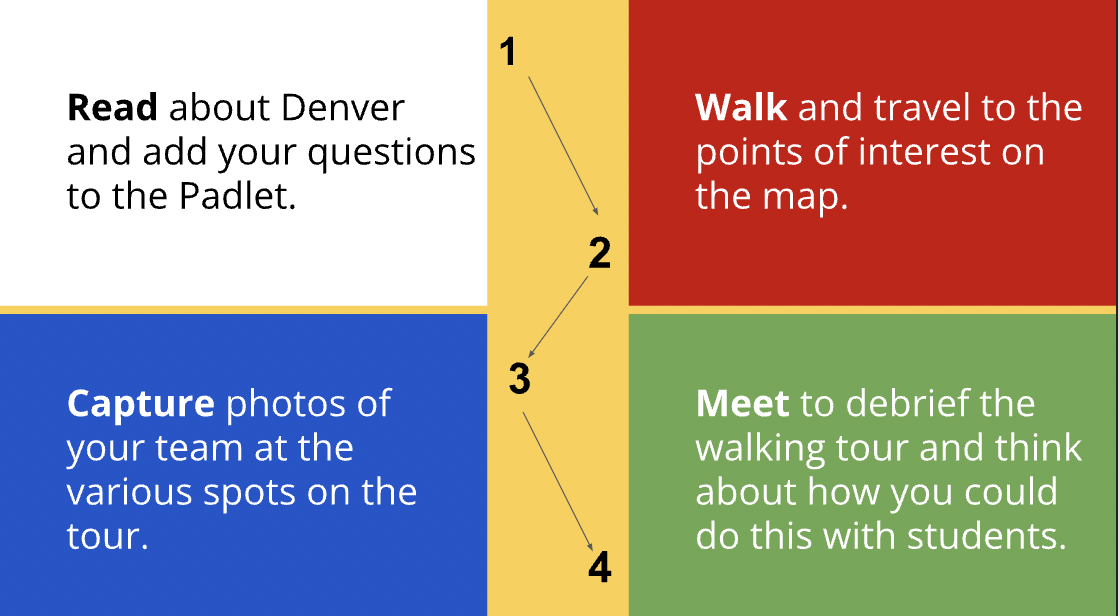
This was an inquiry based hands-on lesson that put us in the shoes of our learners. Could be used for topics eg: Our Whenua or for school trips eg: Historical Village (this would require a teacher pre visit). Due to timings this would be a great activity for anyone needing to walk new teachers through the inquiry learning process. Achievable challenge for SEN/ESOL if Padlet resources were simplified. Ours had a photography component to it which kept everyone on-task and continuously generating questions as we moved between places.


Site link


Purpose - To learn the history behind the buildings 

  • Curiosity is the strong desire to know or learn something

  • Inquiry based learning triggers curiosity

  • Inquiry positions learners in an active agent stance

  • Be an active tourist - notice things, be involved, give students a role to play and they’ll imagine and become curious

  • Look for civic pride 

  • Inspire with some photos 

  • What’s the story about who lived here before us?


Grouping Strategy:


  • Padlet - read about Denver - construct questions - decide roles

  • Self directed walk with a specific meet up point half way through

  • Padlet with multimodal resources - read, view, listen to build background knowledge


  • 10mins research before walking - show pic of point 1 


Good thinkers ask questions to ignite curiosity 

Process of the challenge:

  • Front load - generate questions and add to list on the way 

  • Collaboration

  • Take creative photos 

  • Reflect 

  • Edit photos 

  • Create a collage 

  • Add a 6 word story to describe the story behind your images


ISTE 24 Denver: Slay Vocabulary with your Student

This was my favourite session by far! Vocabulary development is a hurdle I am faced with every year. Like many of us I find the words our learners use in class never seem to appear in writing samples, and the vocabulary in PAT assessments are the catalyst to the lower scores that simply do not reflect the ability shown in the room. I am really excited to introduce the ideas below to my students as I hope this helps them make stronger connections to a wider variety of words they can recall and use independently.

Presenter: Gabriel Carillo

Session Description: Learn five vocabulary retention strategies that go deeper than just "understanding." Participants will go through these interactive and engaging strategies as a student to have the student experience. They will then create their own activities and learn how to best utilize them with students.

Great American Race/Marathon - Slides 4-12


  • Create eg: 40 blank slides - Students must have edit access

  • Give our cards… If you have card 1 go to slide 1 - each card has a word on the front and a number on the back


Sushi


1


  • Go to numbered slide and describe in own words 

    • Can find an image but can not use the word on your card

    • Can research/define

  • Give a short time limit

  • Remove edit access to stop anyone adding things after times up

  • IEP students do not get the more challenging words


Class then guess words from the clues

Go through as a class

T to edit and add to word bank - this can be topic based


  1. Pic 1 = sushi


25,000 - 25K Pyramid - Slides 12-15

  • Find a partner - one is A and one is B

  • A look at screen

  • B face back wall

  • Give clues for partner to guess words in pyramid - can’t say the words but can give clues 

  • You have 1 minute to guess all the words

  • Repeat throughout units using different words


Flashcard Factory - Slides 15-17

  • joinpd.com - takes you to pear deck - generates a code to enter - free site
  • Puts chn into partners
  • Ptnr A gets the term and definition - must write in a sentence
  • Ptnr B must draw it

You collaborate online to complete the card and it falls from the list

‘Quality control’ to share with class - review and decide if sentence makes sense then tick yes or no

Cards are anonymous

Ship - export to Gimkit Live - creates a quiz using flashcard set

Peardeck - flashcard factory - word: Democracy click on definitions in dictionary.com, or chatGPT - out words and definitions in a google sheet - copy word list/definitions and paste in peardeck


Emoji Vocabulary - Slides 18-35

  • Guess the word based only on the clues provided by the  emojis

  • Emoji + emoji + emoji + emoji + emoji (chicken + fries + ham + cheese = chicken cordon bleu)

  • Based off these emojis what moment in history, what maths, what…


Climb a Mountain - Slides 36

  • Nearpod.com

  • Free feature - like quizziz, kahoot

  • Students asked a question or given a definition.

  • They have 3-4 options to choose from

  • Students enter their response at speed

  • When the time allocated is up the avatars of those who responded quickly jump and begin the climb the mountain

  • Can pull up a report

  • Click time to climb 

    • Teacher to put in terms and definitions 

    • Will need to copy and paste can’t import 


  1. Focus on key concepts and vocab terms not the vanity of the tools

  2. Be creative as activities can be mixed and differentiated

  3. The tech tool is not the centre of the activity, the interaction is


ISTE 24 Denver: Padlet - Expo session


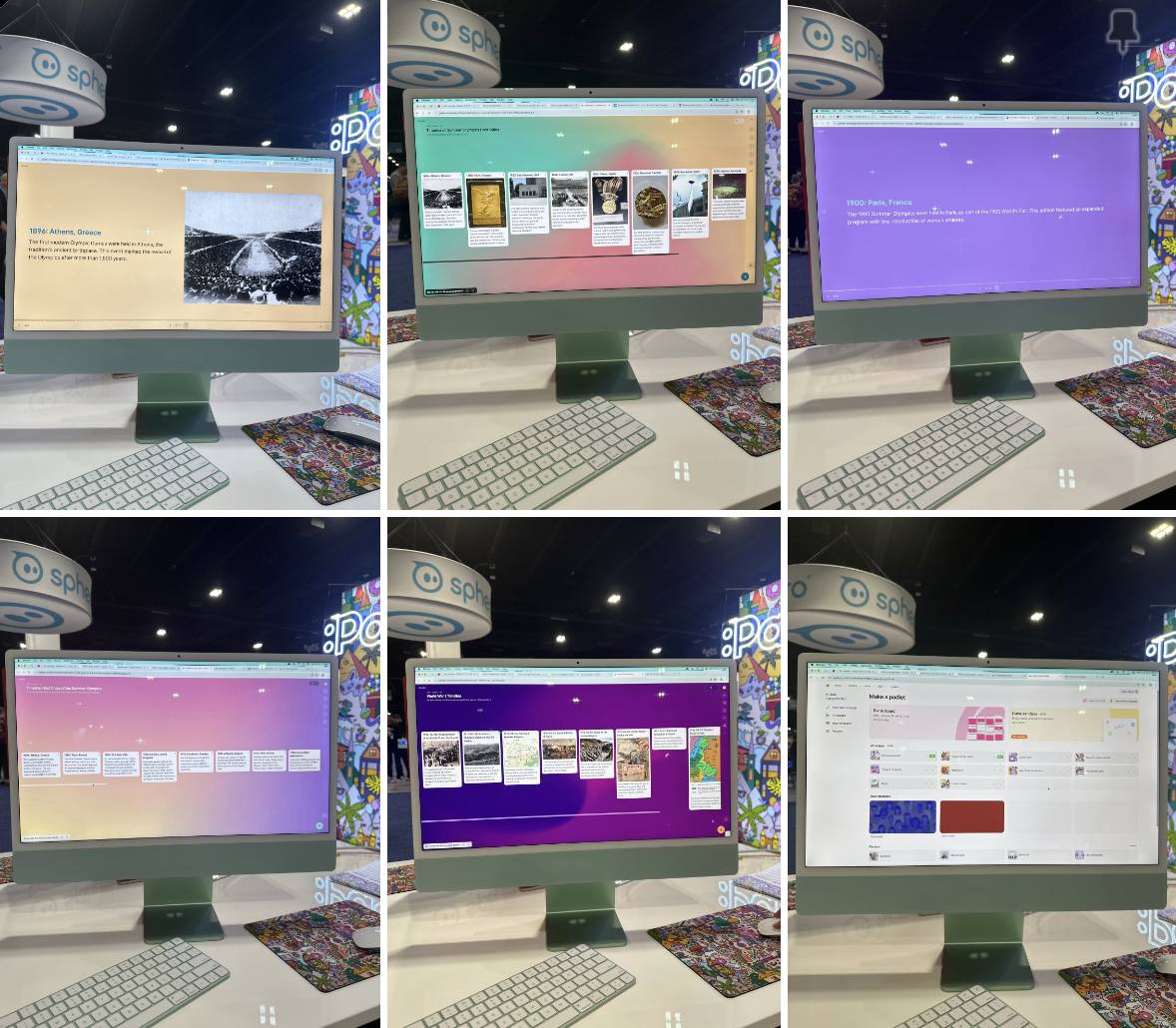
The Expo hall is huge! This is where exhibitors share their products, allow for hands on learning and provide PLD sessions. During one visit I had a 1:1 training session with Chelsea at the Padlet booth. Padlet is something I have used for a long time but after what I saw I now realise I was not making the most of the features it offers. 

Padlet can generate lesson plans, quizzes, YouTube links, make timeline (this can be played as a slideshow - eg above is of the summer Olympics - need to ask for images if wanting more than a timeline of words. AI timeline play button gives you a slideshow.


  • If creating a discussion board wanting anonymous responses - submission request link - create a space and submit info without names

  • Copy link

  • Post in padlet

  • Great privacy


The free version allows for 5 free padlets at one time - delete old if wanting new boards etc

You can sign up for beta with this link: padlet.link/beta