Showing posts with label AI. Show all posts

Monday, 13 July 2026

Google Educator AI Series...

One of the workshops I attended introduced me to the Google Educator AI Series which is AI literacy training designed to help educators use AI tools like Gemini and NotebookLM safely, responsibly, and effectively in their daily workflows. I really enjoyed these short sessions that can be completed at your own pace as they helped me up-skill with useful tips to help me manage my workflow more effectively. An important reminder here that we need to remain as the 'human in the loop' because AI models process data quickly but lack moral judgment, empathy, and contextual understanding. Humans provide the critical safety net. They catch errors and ensure the results are safe, fair, and accurate. 


You can access this PLD here


Monday, 6 July 2026

Supporting Literacy Through Creativity Using AI-Powered Tools - Jessica Peck...

I attended a workshop run by Jessica Peck at ISTE in Denver in 2024 so I knew that she was a presenter I wanted to lookout for. This workshop on Supporting Literacy Through Creativity Using AI-Powered Tools did not disappoint. One of the biggest hurdles I face when teaching a reading lesson is getting my students who struggle to understand the complexities of texts we unpack at our Year 7/8 level without diluting the content. This session focussed on 5 ways I could rethink how I do this and I can't wait to trial these in my classroom. I also realise form this session that I need to create posters for my classroom and class site that show how to use AI effectively - eg: How to prompt AI to create images, because once students understand how to create the task the cognitive load shifts from how to do the task to a focus on content. 

Click here for my notes from the workshop. All the resources shared can be found at this padlet

Sunday, 5 July 2026

Google Demo Slam - Eric Curts - Gemini Gems...


This session was fast paced and really informative! I love using Gemini gems and use them regularly in my classroom. This session was a fantastic and I came away affirmed in what I was already doing an I came away with a wealth of prompts for a very wide variety of learning experiences. The resources shared are listed below:


Profile of an AI-Ready Graduate (iste + ascd)...


The Profile of an AI-Ready Graduate highlights six essential human roles: 

Learner, Researcher, Synthesiser, Problem-Solver, Connector, and Storyteller. 

It outlines specific skills students need in order to use AI to thrive in each role. These are skills that teachers will need to model, and students will need the opportunity to practise, in order to develop proficiency by the time they graduate from high school or college. 

To see the full document, visit iste-ascd.org/aiready.This is a website that explains each role in detail.

Learner

Students know how to use artificial intelligence (AI) to set learning goals, create plans for learning new skills, identify strategies to get unstuck, and seek targeted feedback to improve performance and understanding.


  • Self-directed Goal Setting and Planning

  • Getting Unstuck

  • Seeking Feedback

Researcher

Students know how to use AI to strategically investigate and analyse topics, evaluate claims, and compare sources of information. 

  • Planning the Inquiry 

  • Evaluating Sources and Claims


Synthesiser

Students know how to use AI to synthesise, remix, and refine information into formats and levels of complexity that best meet their unique needs and capabilities. 

  • Remixing to Gain Deeper Insights 

  • Finding Patterns


Problem-Solver

Students know how to use AI as a brainstorming partner to clarify challenges, generate new ideas, explore a wide range of possibilities, and evaluate potential solutions. 

  • Refining Problems 

  • Generating and Evaluating Ideas


Connector

Students know how to use AI to increase human collaboration, including overcoming language barriers and finding common ground among divergent perspectives. 

  • Expanding Perspectives and Networks 

  • Improving Team Collaboration


Storyteller

Students know how to use AI to craft compelling narratives and communicate complex ideas through text, image, audio, video, and other media. 

  • Sharpening the Message 

  • Creating Visual and Audio Content

Tuesday, 7 October 2025

Implementing Structured Literacy one step at a time: Step #4 - Reading

After attending a toolkit on Gemini Gems run by Matt Goodwin I decided that introducing this in my learning time this might spark another layer of curiosity with my learners. I followed the prompts shared by Matt and jumped in boots and all to help my learners gain a deeper insight to our guided text 'Malala Yousafzai Speech at United Nations Assembly 2013'. 

Below are screen shots of the Gem we used that show my initial prompt and the students interactions with the Gem to support their reading. I used the prompt that Mat gave as the example in his toolkit, so need to acknowledge that it is not my original idea.

I found this to be a really creative way to help my learners make sense of the response questions in ways that helped guide them to where they might find the information rather than simply giving the answer. 

The way this ran in our room was after introducing and modelling how Gemini Gems worked, I put the Gem on my computer and left it available for student use on a central table. This was both a great resource and a really creative way to capture my learners interest in the topic. A bonus was that once the Gem had been used the conversation in groups was richer as new perspectives were shared when some students disagreed with the initial collaborative responses. The learning 'arguments' were evidence based and allowed for the skill of negotiation to be used authentically in context.

I used a Gemini Gem with two guided texts last term and found on both occasions this was a very effective way of strengthening my student's connections with texts they were not familiar with. The feedback from my learners has been captured below.

Wednesday, 10 September 2025

Create in Inquiry...

Once again with 'create' in mind I planned my Inquiry unit on Dinosaurs with these activities in mind. Pretty much I started at the end of each learning task and worked backwards. What I found throughout this unit of learning was the retention of facts was much more than usual. I know Dinosaurs is always a fun topic to unpack but this time around, student voice told me the activities we did to show our learning were fun and made the facts stick. 

We started by making our very own dinosaur eggs out of salt dough. Who knew an activity usually found in the junior classes would engage my Y7/8 learners so much!


We then hatched our eggs. This roughly translated to opening the eggs and placing them somewhere in the garden for photographing. After discovering our dinosaur fossils we used Adobe Express AI to reimagine our photos to reflect what a real ‘find’ might look like based on where our research of where similar fossils have been found in the past. These 'finds' gave each pair a focus dinosaur to do a deeper research on.

Our dinosaur eggs reimagined using Adobe Express


Kaleb shared an idea that I loved so I changed my planning. He suggested that we show some of our dinosaur research by creating a movie using AI. For this task we used  https://hailuoai.video. The learning here was in the prompts. 


Responding to a question in exactly 50 words. A fun way to encourage students to be succinct in their responses and provides a great opportunity for rich discussion to evolve.


Brooke and Mareta's Google Vid to showcase their research on Mary Anning


Monday, 1 July 2024

ISTE 24 Denver: Choose your own Adventures

Presenters: Belinda Howell and Dan Larson

Pick a path stories or choose your own adventures are not a new idea. What I liked about this poster session is how AI can be used to generate the text and the images. My biggest takeaway is how this activity can be used with events in history or provocations. The example I saw was asking students to choose one side and provide options/outcomes for making their choices. This can also be used to show mastery of concepts and definitions. when using AI you give the prompt feedback to change if what was generated doesn't suit your purpose, 'pretty much have a conversation with the AI you are using'.

Story Map and create adventure in Google forms


Multiple choice or select down - required response

AI to write prompts and generate images


https://sites.google.com/aldineisd.org/techededu/choose-wisely-creating-digital-choose-your-own-adventures-with-google-form/choose-your-adventure-choice-board

Independence and Empathy: enhances students’ agency and autonomy but also cultivates empathy as they navigate diverse perspectives and outcomes. Personalisation: promotes personalised learning experiences, catering to individual interests, preferences, and learning styles. Deeper Learning: Through branching storylines and interactive elements, students are motivated to explore, experiment, and collaborate, leading to deeper comprehension and retention of content. Feedback and Reflection: Facilitates immediate feedback and reflection, empowering students to learn from their choices and adapt their strategies accordingly.

https://sites.google.com/aldineisd.org/techededu/home

Canva for image generation
Focus here is to get engagement in the classroom

ISTE 24 Denver: Canva Tips and Tricks

Presenter: Kathy Schrock - Snapshot session

Sign up as educator for free
Saves time
Instructions includes
Online background remover
Screen recorders
Free stock pics + premium
Video creation
Songs available
Photo editor

Colour wheel - match and complimentary palette suggestions

Magic shortcuts - animations while presenting,
B - blur
C confetti
D rumroll
M mic drop
A quiet
U curtain call
1-9 for timing

Cartoonify - add image tap cartoonify and it changes to cartoon

AI pictures
Ai image gen
Type in what want

Add a background
Image
Edit background
Outline shadows - like drop shadow

Photo integration
Pixels/pixabay
Apps
Use search
Add app to canvas

Design size guide

This helps to size DLO for platform using

Translation
Chat gpt for phrase in other language
Import to canvas for translation back to English

Save anywhere

Share - more - save group eg drive
1100 fonts
Canva font genres will help with this
Tells what fonts go together
Magic expand

Click on photo want to edit
                                           
Magic expand
Resize and magic switch
Choose image to resize and select format of DLO - it will resize

Remove bg
Canva create design - move image direct into your project

New features
  • Removed clutter
  • Tool for lots of pic editing in one place
  • Includes AI magic grab
Screens.com for videos


ISTE 24 Denver: Padlet - Expo session


The Expo hall is huge! This is where exhibitors share their products, allow for hands on learning and provide PLD sessions. During one visit I had a 1:1 training session with Chelsea at the Padlet booth. Padlet is something I have used for a long time but after what I saw I now realise I was not making the most of the features it offers. 

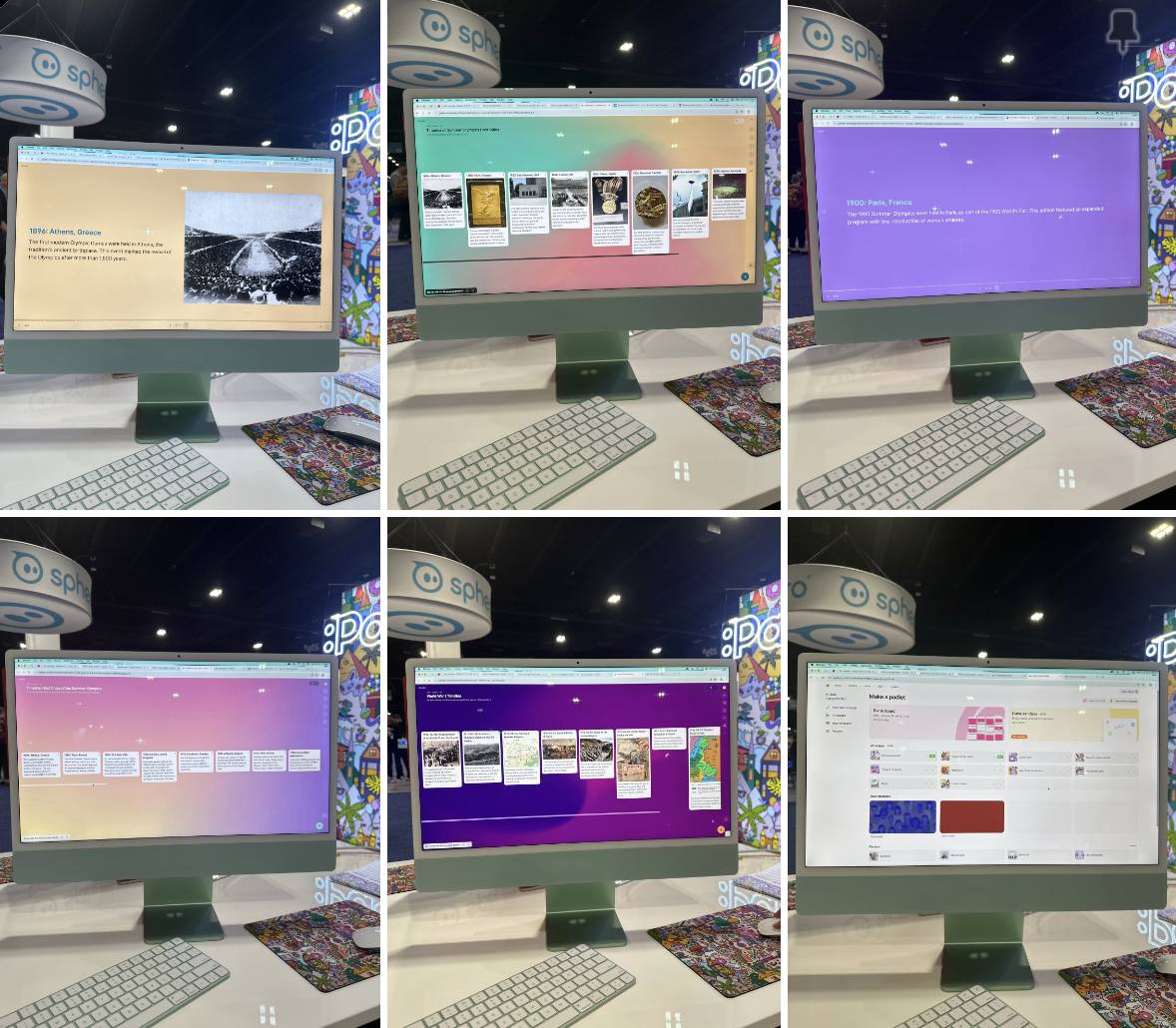
Padlet can generate lesson plans, quizzes, YouTube links, make timeline (this can be played as a slideshow - eg above is of the summer Olympics - need to ask for images if wanting more than a timeline of words. AI timeline play button gives you a slideshow.


  • If creating a discussion board wanting anonymous responses - submission request link - create a space and submit info without names

  • Copy link

  • Post in padlet

  • Great privacy


The free version allows for 5 free padlets at one time - delete old if wanting new boards etc

You can sign up for beta with this link: padlet.link/beta


ISTE 24 Denver: The Ultimate AI Learning Toolbox


This session was presented by Holly Clark - Presentation Link

Below are the notes I took. At the moment the problem is that teachers aren’t trained in the AI models, however If you stay in an AI model for 10 hours you will know that model. Often AI costs money so below are the free options that we explored.


Which LLM model does what?

Teachers need to ask: What model did you use to get your answer?


AI detectors (eg: Turnitin.com) don’t work - problematic


BRISK Teaching - chrome extension - pins itself to any google tab open - records a movie of all the editing done throughout the writing process - it tells the time spent on the text - can also give targeted fb


Students have agency when AI checks and feed back on work written

AI can help with rewording, 


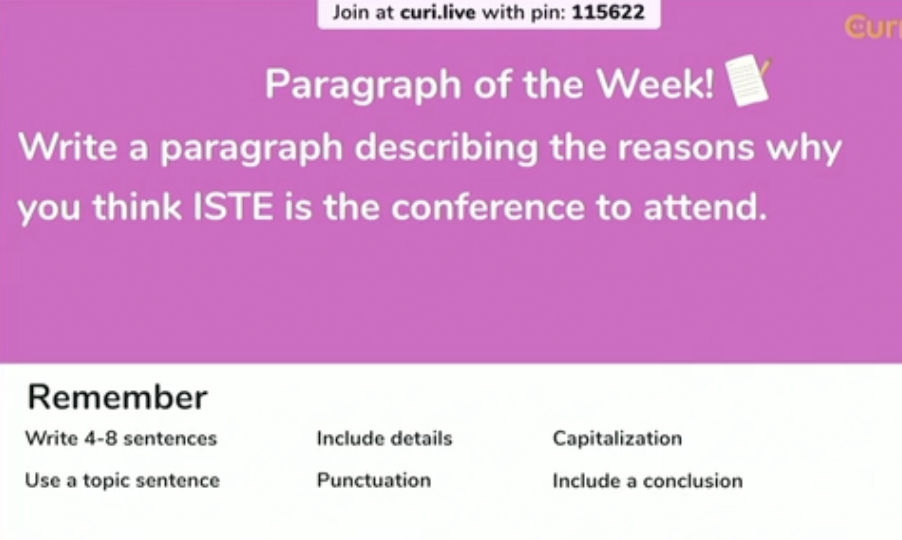
Curipod / Curi.live - platform for questioning or statements - T to push out all responses to class - everyone to vote on favourite sentences (allows everyone to see the other sentences as mentor text) - see 2 at a time - click show more or scroll for next pair - not overwhelming - you can vote on as many as you like - chooses most voted 3 sentences - Explore winning sentences and discuss why - Write paragraphs and AI will give fb


Students benefit from just in time fb - AI gives the fb - Curipod has speech to text - your paragraph is at the top fb is below - arrives on your screen - students copy and paste paragraph and fb into doc - analyse it - then rewrite using fb as a prompt/guide - T needs to click on ‘Students receive AI fb’ - has a variety of text types to choose from - T can prompt AI to personalise to their focus


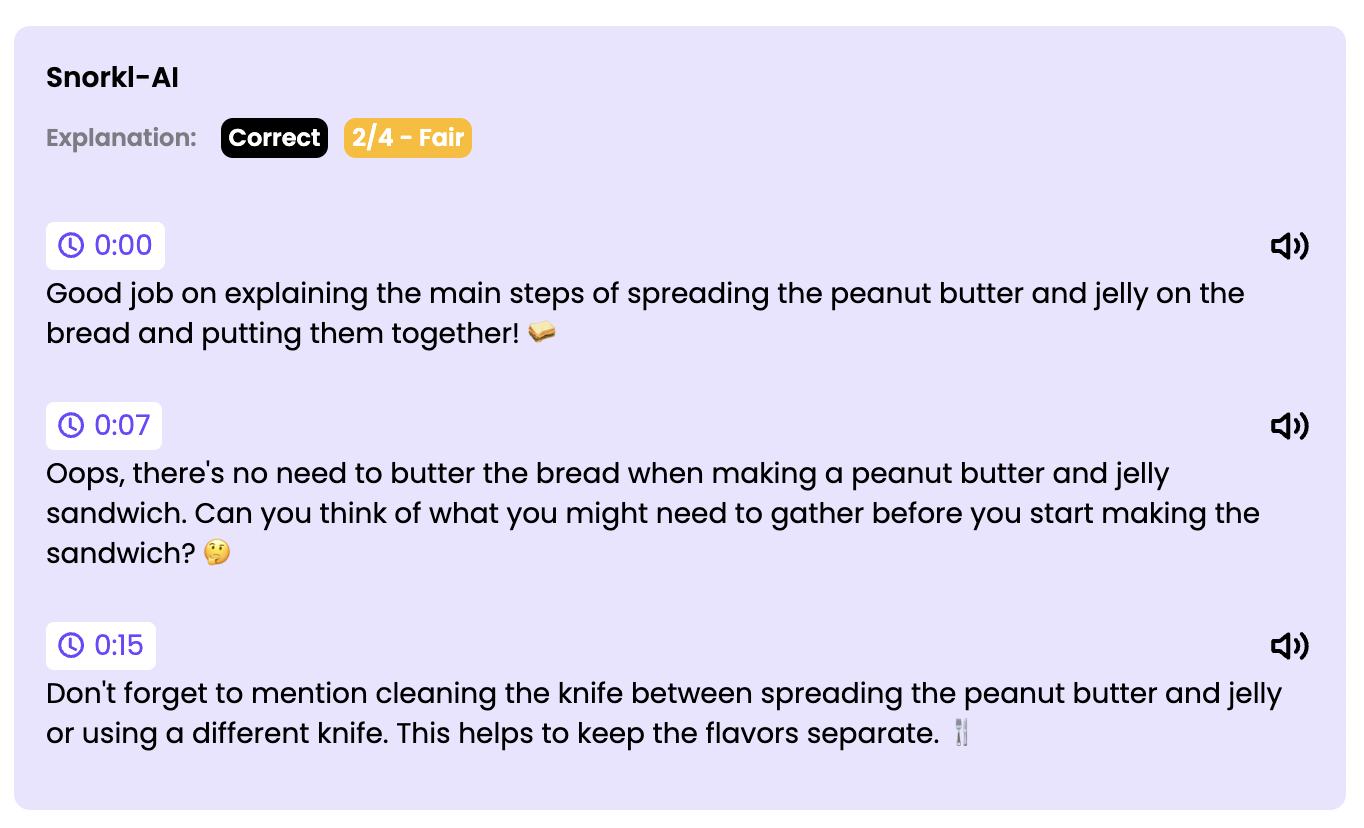
Snorkl - With Snorkl, students record and share their reasoning then receive instant AI-powered feedback to drive deep and meaningful learning. 


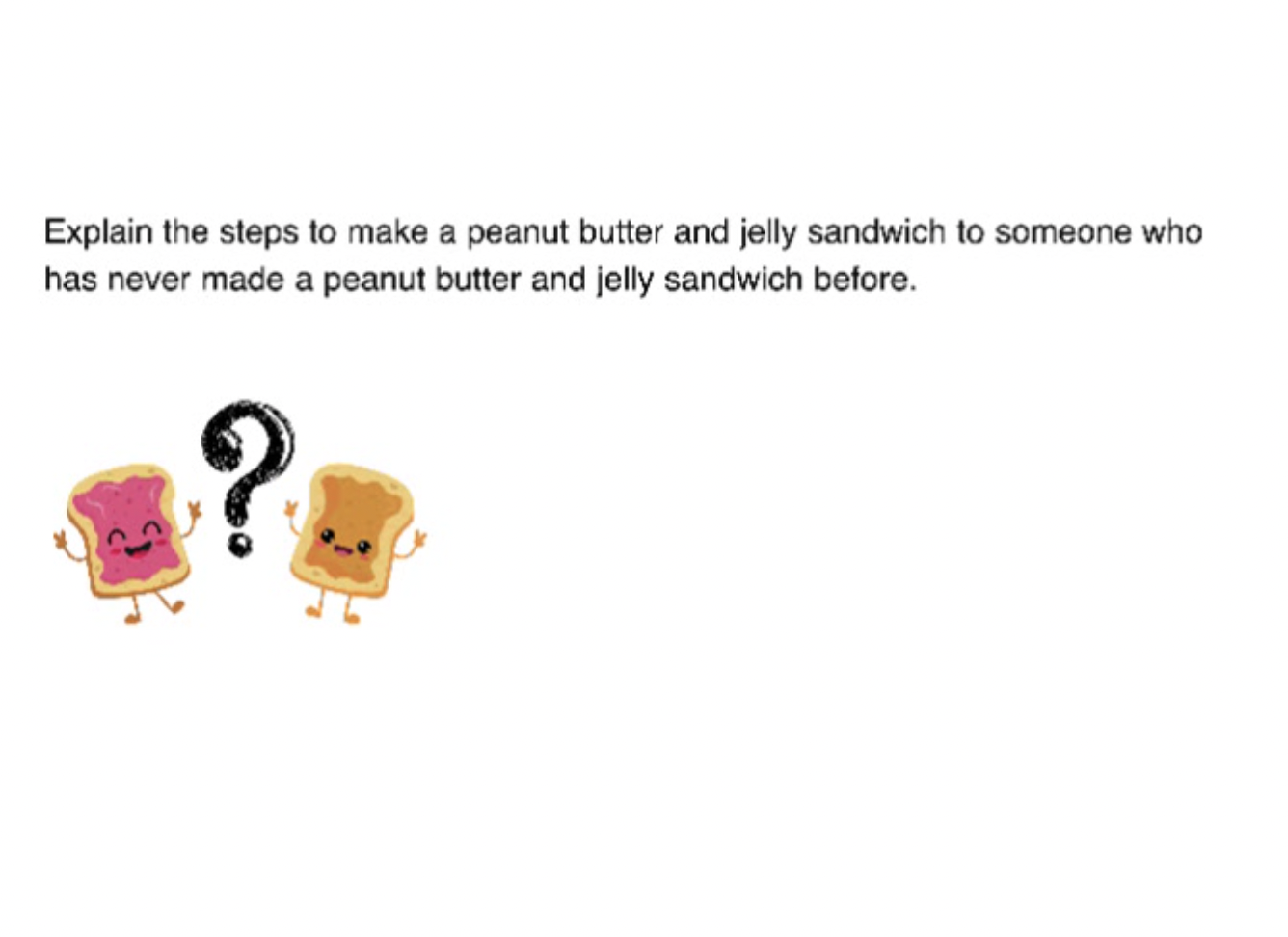
T creates a question - student presses voice record then explains the problem solving process thye followed - AI records ann/or creates a written version of this on the screen - fb is then given


My example below: