Wednesday, 25 July 2018

T1/T2 Comparison of what success in writing look like through the eyes of my learners...

This year I have been focusing on building student self efficacy in writing. Why? Because I have a large group of reluctant writers. I know that no-one finds something they have success in boring so I have tried hard to be creative in my task design.


This DLO reflects the comparison of responses to questions I asked my target students in both Term 1 and Term 2 - (6/8 students were questioned at both checkpoint times so only these responses have been compared in this DLO). Notable changes in responses have been highlighted in yellow. I can see more content specific information emerging in their answers overall, but the part that excited me the most was that half of these target students are now seeing members of their own writing group as 'good' writers. 


Changes I have noticed in class:

Target Students:

  • settling to work more quickly
  • increased levels of confidence
  • working with a buddy is no longer the 'go to'
  • positivity towards new learning
  • increased work completion levels
  • increased levels of risk taking
  • more willing to share work with class
  • ownership of praise
  • strengthened connections to the learning


Me:
  • finding more opportunities for praise
  • increased use of learner created exemplars from this group
  • paying closer attention to explicit instruction
  • calmer voice tone
  • increased awareness of when I need to repeat/reinforce my instruction
  • increased use of content specific language 


Monday, 23 July 2018

Innovate and Try #3

One of the sessions I attended at ISTE explored different ways of encouraging creativity in writing. The link to my previous post is here. With my inquiry focus of exploring ways I can build student self efficacy in mind I decided to start the term off creatively using the 'pechaflickr' idea. 

I knew most of my reluctant writers would not have done much written work over the term break so finding a fun way to get them to use the skills we have been developing over the year would be the hook I needed. As this was a completely new activity for us I wanted to maintain a level of control over which images were being used so I created my own versions using a google slide template sourced from here. You can make a copy of this template by clicking here. It's fantastic as all the settings have been done for you.


I thought carefully about the topics I chose as I knew my learners all needed to be able to make a connection to the images they were seeing. For our introductory session I used the subjects of 'dogs' and 'friends'.


The initial plan was that my students would work in pairs using the 'pechaflickr' slides on their Chromebooks to co-construct their narratives, however this wasn't to be. Just as we were about to begin we lost the internet so I had to use my phone to display the slides on the tv. This worked a treat and all I could hear around the room was the buzz of talk as stories were being created!


I noticed the usual ever present initial shyness but this was soon overcome as confidence levels grew and the risks being taken were paying off. Today was very much an oral language activity so my next step is to introduce the recording aspect to allow my learners to apply the skills they have been practising in context.

Afterwards I asked my learners for feedback and found that this task was well received by all my learners. One student said, 'l Ioved hearing people giggling about their stories to each other because it meant they were practising their learning.' One of my target students said he thought, 'Our lesson was really good today and everyone was focused because they were all communicating with their partners.' Another said, 'It was fun to take turns to come up with ideas and try and turn the ideas into a story that made sense'. 

On the flip side another targeted learner said, 'It was fun Miss, but it was a bit hard to make up a story that made sense when we both had different ideas. I had to listen really hard to my partner's idea then add something that made sense with that.' I see this feedback as positive and I am excited to see where our next writing lesson takes us as everyone found success in our learning today.

Sunday, 1 July 2018

ISTE 2018 - Expo Hall

The Expo Hall at ISTE is huge! There was a wide variety of stands where delegates could explore the new technologies available. Alongside these hands on opportunities was the option of joining in a learning session. 

the 


I really enjoyed learning about the new direction Lucid Charts is going in. There are now lesson plans and chart templates ready for use in the classroom. One idea I am planning to implement is their idea for narrative writing where learners use the charts to choose their own outcome by creating a pick a path story. This is shown in the images below and I am hoping will be seen as a 'fun' way to continue to grow the efficacy of my target students.


ISTE 2018 - Keynote 3


This was the closing keynote of the conference. Richard Culatta gave us some great reminders about the importance of digital citizenship. Logan Smalley, Founding Director of TED-ED shared the new direction TED-ED is going in and gave us all the opportunity to sign up to be part of the trial for the new app TED- ED will be launching that takes teachers through modules that will guide them towards giving their own TED-ED talk. 

Christine Klynen
TED Talk


Run toward the learning - curious - fearless superhero when facing new learning ops... meant kids wanted to be a tchr - love of learning for kids who are inspired to be focused - high school often happens to us as learning is not sparking curiosity. A teacher changed my life... life long learners are fearless in own learning - engaged and connected
Nadia Lopez
Bridge to Brilliance creating possibilities author


Look at life thru diff lens
Children are naturally inquisitive and adventurous
t Spoke a language I cld appreciate and showed me possibilities using content specific language
Challenge the status quo - encourage exploration
T need to change the narrative to create the possibilities
If u create the space and allow the chn to be exposed to the learning they will rise to meet the t expectations

ISTE 2018 - Elevate Thinking, Writing and Creativity With Technology Resources

Presenters: Julie Jaeger
http://sites.google.com/site/jjaegerconsults/home/elevate-thinking-and-creativity-technology-resources


This was a creative writing session and with my COL inquiry focus this year, right up my alley. Below are the notes of my main takeaways from this session but the website link above details these in more detail.


Ian Byrd - use 2 topics and create analogies between the two - ref to pic 1
How expensive is it to fill your car with gas v other things eg: milk’ juice, coke... which is more expensive? Choose car model and insert image - link to measurement - research - smart searching - convert to same measurement using conversion apps

How long would it take to drink your swimming pool? Link to 8 glasses a day
XKCD.com - submit a ridiculous qu and the site accepts the challenge
Use ‘What if...’ Randall Monroe - deep thinking problems posed in text

Pechaflickr - 20 secs per slide tells your photo story - chains of conversation - each persons explanation of pic must carry on from last - not planned and creative - the fun is that the kids don’t know what’s coming - T pre finds the pics but kids don’t know this - after 1 pic per paragraph = instant created narrative
Type in a word eg: clown choose number of slides ... 2 people tell story in context linked to pics. Pechakucha is the research presentation where content must be known and timed

ISTE 2018 - Learn to create some pretty sweet graphics

Presenter: Manuel Harrera


This was another session that Kiri and I attended together. The most valuable part of choosing to do sessions together was the follow up conversations we had immediately after relating to how we can use the learning with our own students. We have many students this year who are highly skilled graphic artists and I am very much looking forward to sharing my learning from this session with them. Below are my notes.


  • Creativity is a process - not just choosing the go to app (ref to slide 2)
  • Sketch to visualise thinking - communicate without speaking to each other
  • Adobe capture in iPad saves your data
  • Canvas slide - saves colour pallet - has image sizes
  • Insert word art allows for automatic resize of text
  • Google search font pairings
  • Vector art can be scaled from any size - doesn’t blur or pixelate
  • Use Instagram template to create bio for historical leader etc
  • Use polyline in google draw to create shape for vector art
  • Remove outline - colour fill - send to back
  • Repeat process for each shape - layer
  • Innovation Exchange 
  • Change canvas using pixel measurements
  • Add graphics
  • File - download png
  • If wanting sticker cld send design to sticker mule
  • App design storyboard 
  • All drawings are done in slides too
  • Gif animation - draw peanut jar - find png arms on image search - upload each movement snapshot to google photos - assistant in google photos creates animation gif
  • Sound = shrink YouTube clip down to smallest size to hide but can hear

ISTE 2018 - Arts and Technology PLN Breakfast Walk

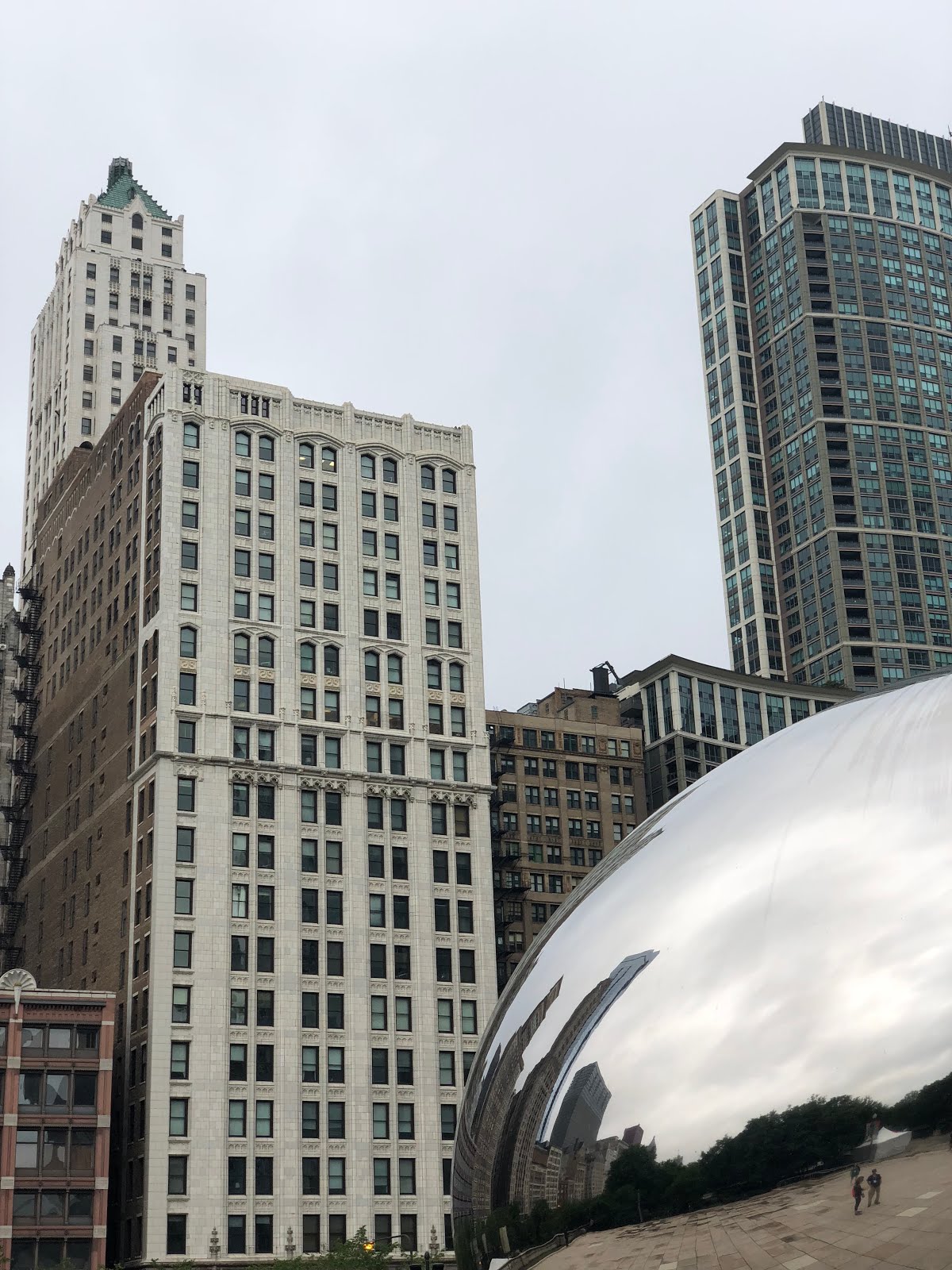
This was one of my favourite sessions and completely worth getting up at 5am for. Kiri and I met the rest of the group at Cloud Gate, otherwise known as 'The Bean'. The purpose of this session was to connect with other educators, learn a few photography tricks and we explore some of the iconic sites around Millennium Park. Below are some of the images I took during this session.


Group photo 


Photo taken by Kiri


My takeaways:
  • Use the panoramic setting to capture tall buildings - remember to scroll slowly until you get a square on the screen
  • App snapseed - use the 'drama' setting
  • Turn phone sideways so volume buttons are on top righthand side to use these as the camera shutter button
  • Tap the screen to focus on one area
  • Remember rule of thirds and use gridlines